
SSSD Clear Cache: Why, When, and How to Clear SSSD Cache
SSSD Clear Cache: Why, When, and How to Clear SSSD Cache
Introduction
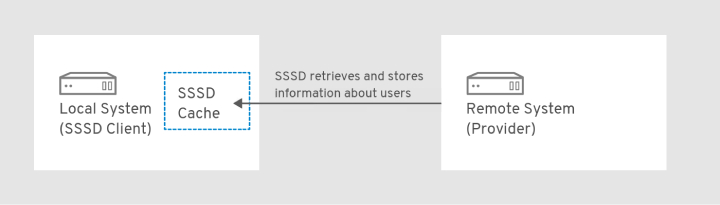
System Security Services Daemon (SSSD) is a crucial service in Unix-like operating systems that facilitates centralized access control and authentication management. By integrating with various identity providers, SSSD streamlines user access to local and remote resources. To optimize performance and reduce the load on remote identity providers, SSSD maintains a local cache that stores user and group data. In this article, we will explore the importance of managing the SSSD cache, the reasons for clearing it, and the steps to follow when doing so.
Understanding SSSD Cache
The SSSD cache is a local data repository that temporarily stores user and group information fetched from remote identity providers like LDAP, Kerberos, or Active Directory. The cache's primary purpose is to improve system performance by serving local user and group lookups and maintaining service availability during network issues or identity provider downtime.
Why Clear SSSD Cache?
There are several reasons you might need to clear the SSSD cache:
Outdated Information: If the remote identity provider's data has been updated, the cache may still contain old or stale information. Clearing the cache ensures the local system retrieves the most recent data. Inconsistent Behavior: Clearing the cache can help troubleshoot issues related to access control, authentication, or authorization, especially when experiencing inconsistent behavior across systems. Cache Corruption: In rare cases, the SSSD cache may become corrupted or contain invalid data. Clearing the cache can help resolve such issues.
How SSSD Clear Cache
SSSD clear cache is a straightforward process using the sss_cache command-line utility. To invalidate specific records or the entire cache, follow these steps:
- Clear the entire cache by running the following command with root or sudo privileges:
sudo sss_cache -E
The -E flag invalidates all cached entries, including users, groups, and netgroups.
- To clear cache entries for specific users or groups, use these commands: For a specific user:
sudo sss_cache -u username
For a specific group:
sudo sss_cache -g groupname
Replace 'username' and groupname with the appropriate user or group name.
- Restart the SSSD service for the changes to take effect:
sudo systemctl restart sssd
Keep in mind that clearing the cache and restarting the SSSD service may temporarily increase requests to the remote identity provider, as the cache will need to be rebuilt with updated information.
Summary
Proper management of the SSSD cache is essential for ensuring optimal performance and up-to-date information in your system. By understanding when and how to clear the cache, you can maintain a reliable and efficient authentication and access control infrastructure. Remember to use the sss_cache utility and restart the SSSD service as needed to keep your system functioning smoothly.
FAQ
Q1: How do sudo rules relate to SSSD cache?
A1: Sudo rules define the privileges users have when running commands with sudo. SSSD can fetch sudo rules from remote identity providers and cache them locally. Clearing the SSSD cache will also invalidate any cached sudo rules, ensuring that the system retrieves the latest rules from the remote provider.
Q2: What does invalidating records mean in the context of SSSD cache?
A2: Invalidating records refers to the process of marking cached entries (such as users, groups, or netgroups) as outdated, forcing SSSD to fetch updated information from the remote identity provider when the cache is next accessed.
Q3: Can I use SSSD cache management on Red Hat Enterprise Linux (RHEL)?
A3: Yes, SSSD is available on Red Hat Enterprise Linux and other Linux distributions. The process for managing the SSSD cache, including clearing it, is the same across these distributions.
Q4: Where are the SSSD cache files located?
A4: The SSSD cache files are typically stored in the /var/lib/sss/db/ directory. These files should not be modified or deleted manually; instead, use the sss_cache command to manage the cache.
Q5: How can I invalidate all netgroups, groups, services, autofs maps, and users in the SSSD cache?
A5: To invalidate all cached entries for netgroups, groups, services, autofs maps, and users, use the -E flag with the sss_cache command:
sudo sss_cache -EThis command will invalidate all entries in the cache.
Q6: What is the autofs map, and how can I invalidate all autofs maps in the SSSD cache?
A6: The autofs map is a set of rules defining how the automounter (autofs) should mount network file systems. SSSD can cache autofs maps fetched from remote identity providers. To invalidate all autofs maps in the cache, use the following command:
sudo sss_cache -AQ7: How do I clear the SSSD cache for SSH host keys?
A7: SSH host keys are part of the SSSD cache when using the SSH responder. To invalidate all SSH host keys in the cache, use the following command:
sudo sss_cache -HThis will clear the cached SSH host keys and force SSSD to fetch updated information from the remote identity provider.